Everything in the system
Rota and Auto-rota, room diary, show management, open shifts, show and end of shift reports, payroll and sign-off. All of it in every plan.
A week's rota that reflects the programme
Every shift links to the show it covers, so when a performance moves the people rota'd against it move with it. Contracted hours, casual bank shifts and overtime all sit on one grid.
- Auto-rota drafts a department's week around rest gaps, days off and leave; nothing is saved until you accept
- Leave, sickness and rest days on the same grid, with leave pulled in from BrightHR if you use it
- Build the month quietly, then publish it: everyone hears about their shifts once, and about any change after
- Every performance checked for cover, so the evening nobody is on stands out
- Shifts in everyone's phone calendar, and private share links for a person's or department's rota
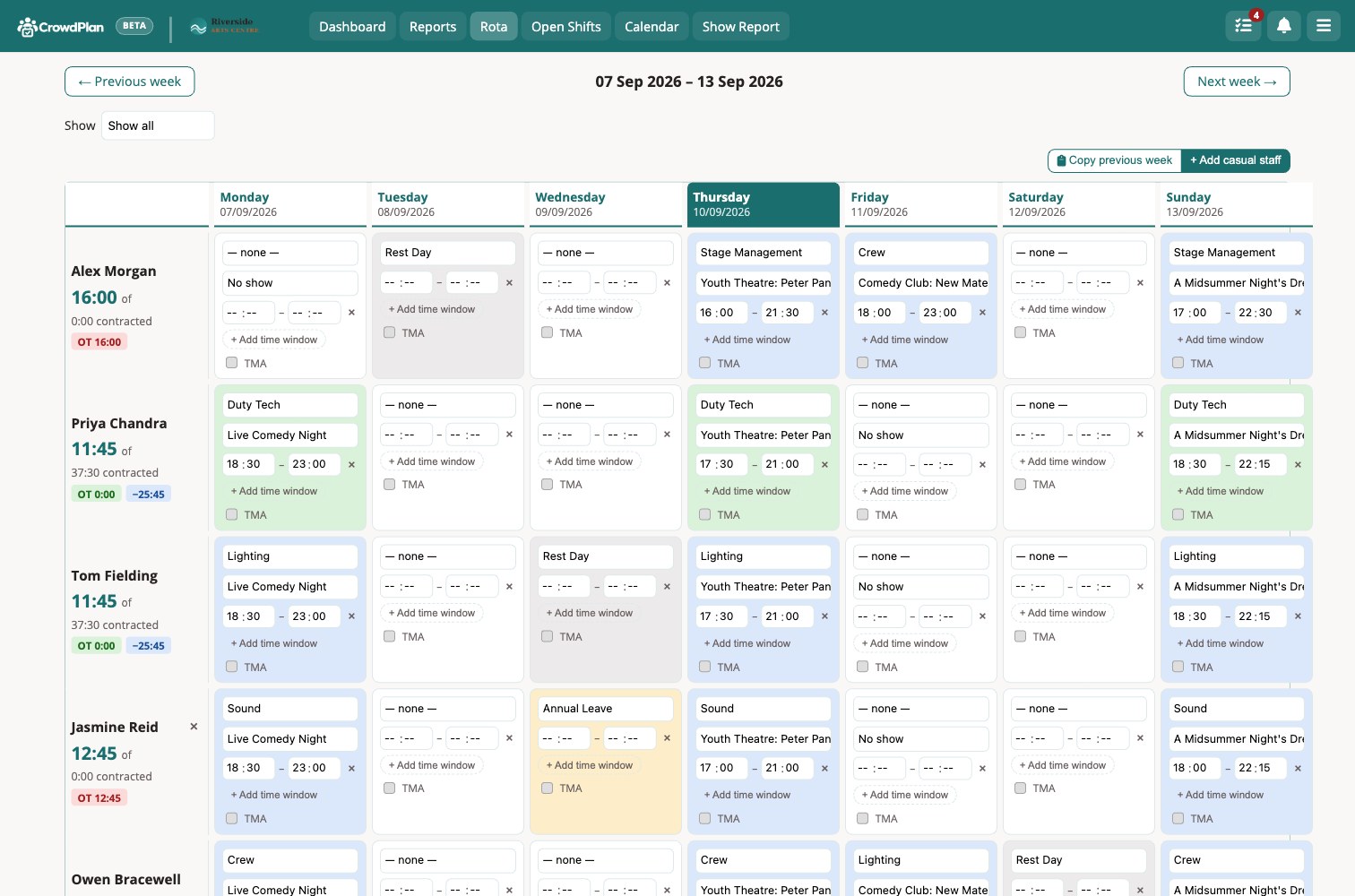 Rota, company-wide view
Know what's in the auditorium before you double-book it
Every performance auto-books its main room. Click through from the diary to see who's working it, arrive and leave times, and the contact on file.
- Auto-books the main space when a date's added
- Conflict warnings before a clash becomes a problem
- Microsoft 365 or Google Calendar sync, optional per room
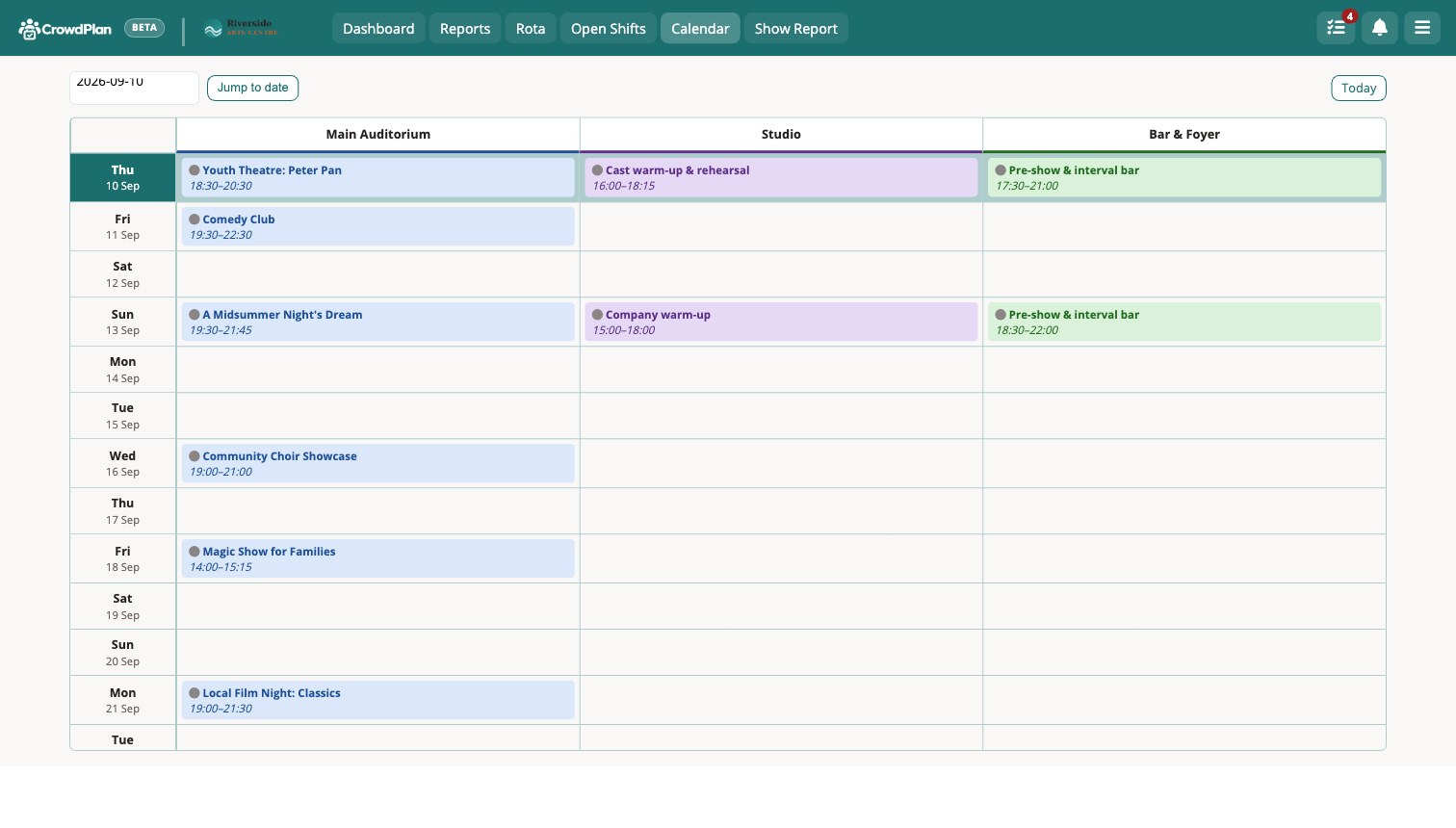 Room diary
One page per event, everything at a glance
Who's bringing it in, staffing levels, contra and equipment costs, deal and contract status, production notes. Every tab reads the same event record.
- An address book of producers, hirers and their people, linked to every show they bring
- Staff requested vs. assigned, tracked automatically, get-in and get-out too
- Deal terms, price tiers and contract status per show
- Contra and equipment hire costs itemised per event
- TicketSource sales figures pulled in, where connected
- Smart Import add-on: populates event fields from uploaded documents, such as a technical rider
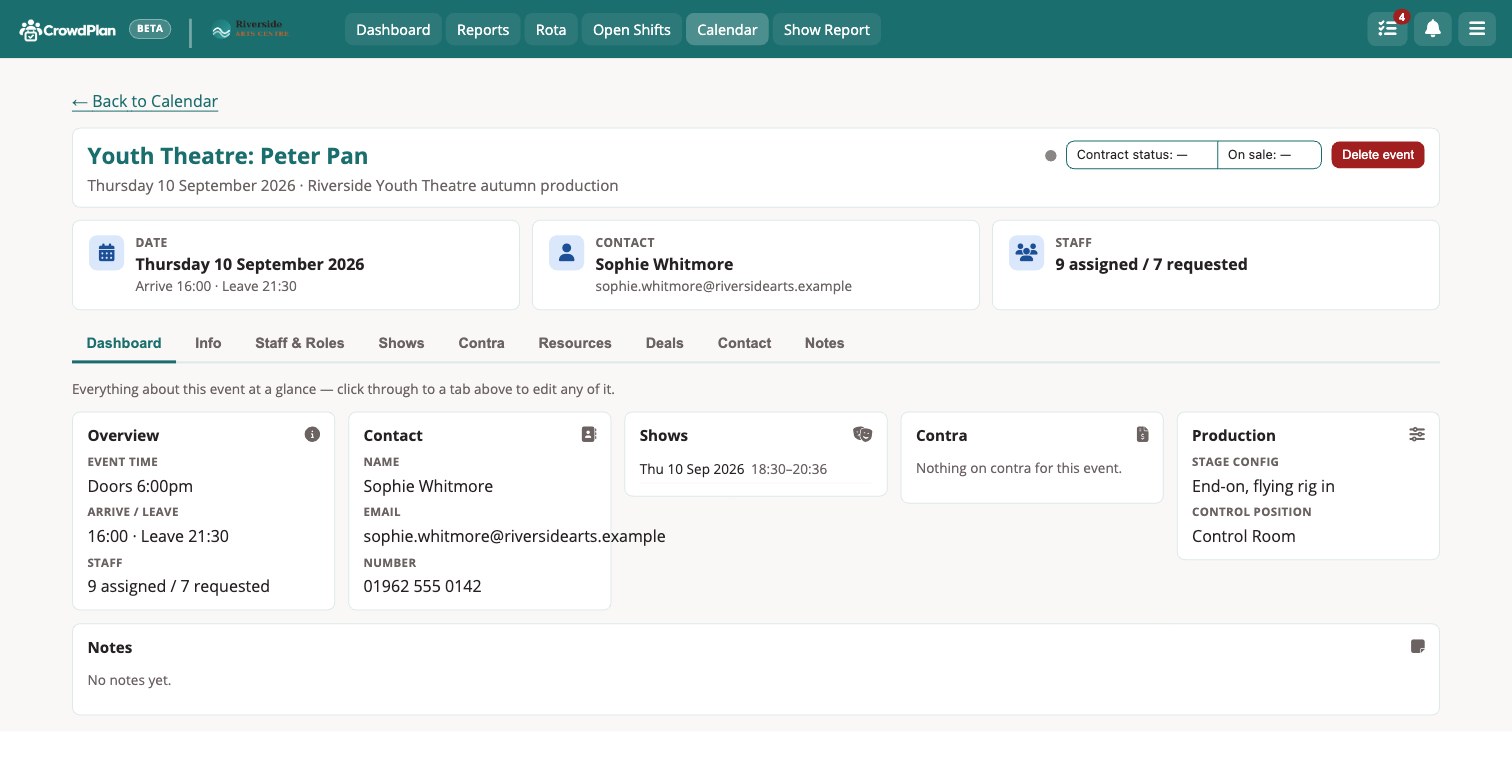 Event record
Fill a gap without fifteen individual texts
Post a vacancy to your casual pool, or assign it directly, and let people request it. Approving one applicant declines the rest. Everyone is notified in-app and by email.
- Share straight to a department's WhatsApp group
- Casuals request; a manager approves with one tap
- Top-up allowance (TMA) offered right on the shift
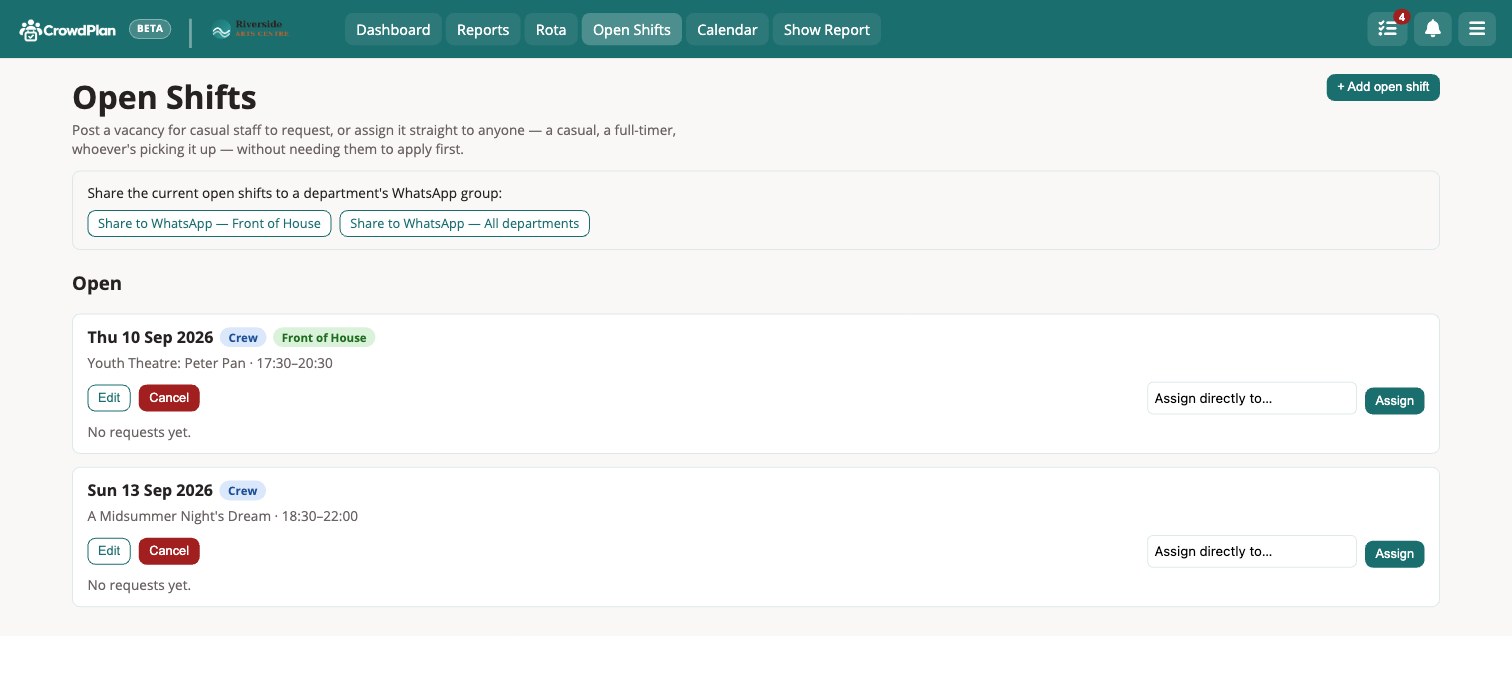 Open shifts
The duty manager's night, digitised
The end-of-night paper form lives online. Act times flag themselves as running late. Bar spend-per-head is calculated for you. Publishing emails the whole night's reports as one PDF to whoever needs them.
- Running times, pre-show checks and duty sign-off in one place
- Attendance, bar sales and spend-per-head calculated live
- Publish once, email the finished PDF automatically
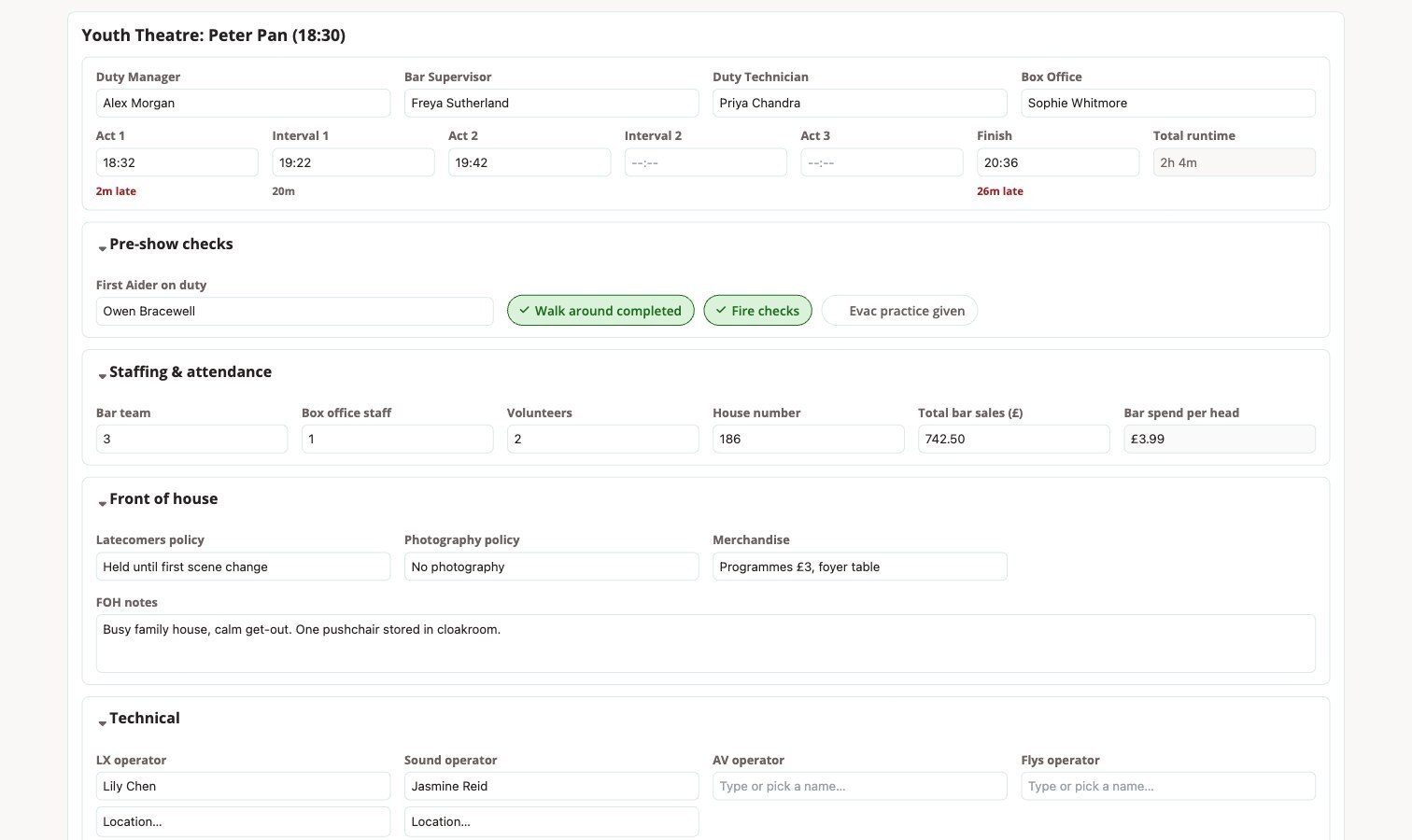 Show report
The department's night, with your own checklist
The end of shift report sits beside the duty manager's own show report. You decide the questions: a yes/no, a number or a note, each one required or not. Kit used on the night is confirmed against the contra list, so the hire charge matches what actually went on stage.
- Checklist built by you in settings, reordered by drag
- Contra items confirmed with actual quantities, straight into the contra report
- Reminders when a report is due and hasn't been submitted
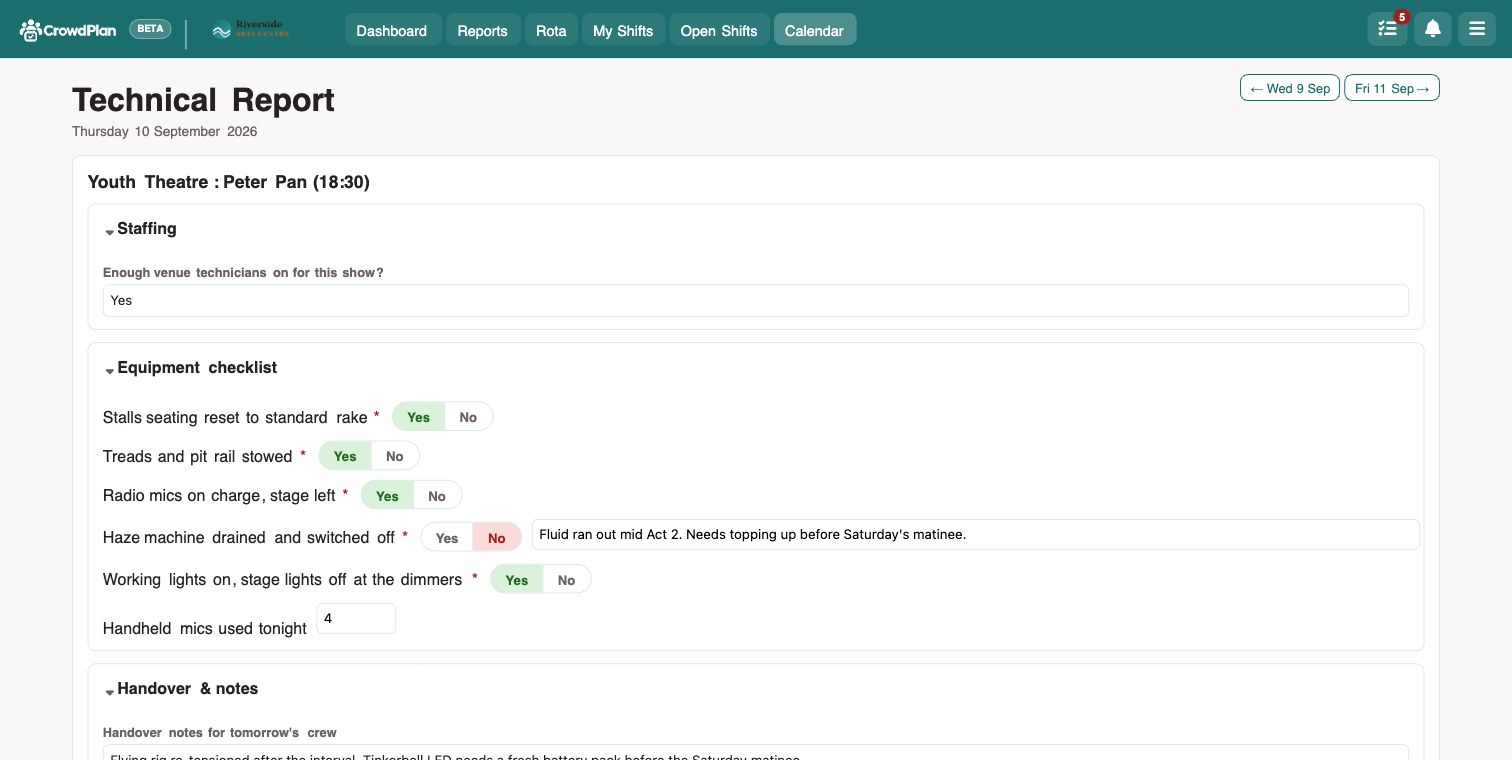 End of shift report
Numbers computed from the rota, not re-typed
Overtime against an extra hire, casual spend year-to-date, contra income by item, payroll export by pay period. All read from the same data as everything else on this page.
- Payroll report with contracted, overtime and top-up hours and pay, each in its own column
- Signed off by name and emailed to accounts as a PDF, with every sign-off kept
- Contra signed off per department after each event, then marked billed by accounts
- Timesheets per pay period, submitted by staff and approved by a manager
- Casual and overtime spend by department, and a CSV export any time
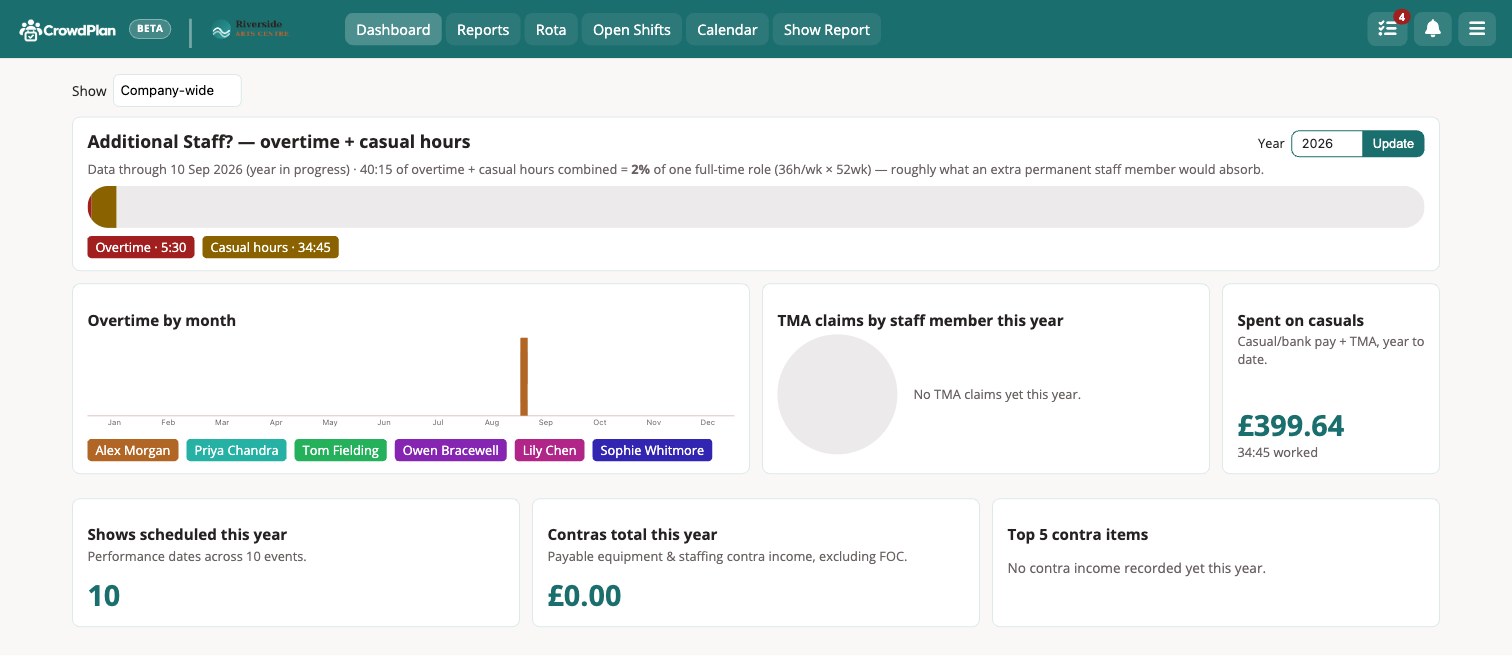 Dashboard
Bring what you already have
Nothing has to be typed in twice, and nobody needs a manual.
Bulk import from CSV
Staff, address book, contra catalogue and shows, each from a downloadable template. You see exactly what will be created before anything is written.
Setup guides built in
Step-by-step guides open without a login, so you can send the Google or Microsoft one straight to whoever looks after your accounts.
Shifts on any calendar
Every staff member gets a private calendar link. Subscribe once and shifts stay up to date on their phone as the rota changes.
Secure sign-in
Two-factor sign-in with an authenticator app, an emailed code or a passkey, or Microsoft and Google sign-in. Make it required for everyone in one click.
Notifications that reach people
Email, in-app and phone notifications for shifts, open shifts and reminders. Add CrowdPlan to the home screen and it behaves like an app.
The name people go by
Staff can set a preferred name that's used everywhere, while payroll and sign-offs stay on their legal name.
Microsoft 365, Google and TicketSource
Three optional connections. Switch on what you use, ignore what you don't.
Microsoft 365Optional
Staff sign in with their existing Microsoft account. Room bookings appear on your real room calendars. Switch on either without the other.
GoogleOptional
Staff sign in with their Google account. Share a room's Google Calendar with CrowdPlan and its bookings appear there. No Workspace admin needed.
TicketSourceOptional
Sales figures land against the matching show automatically instead of being copied across by hand.
All of the above, in every plan
Priced per room, not per feature. Try it free for 30 days, no card needed.